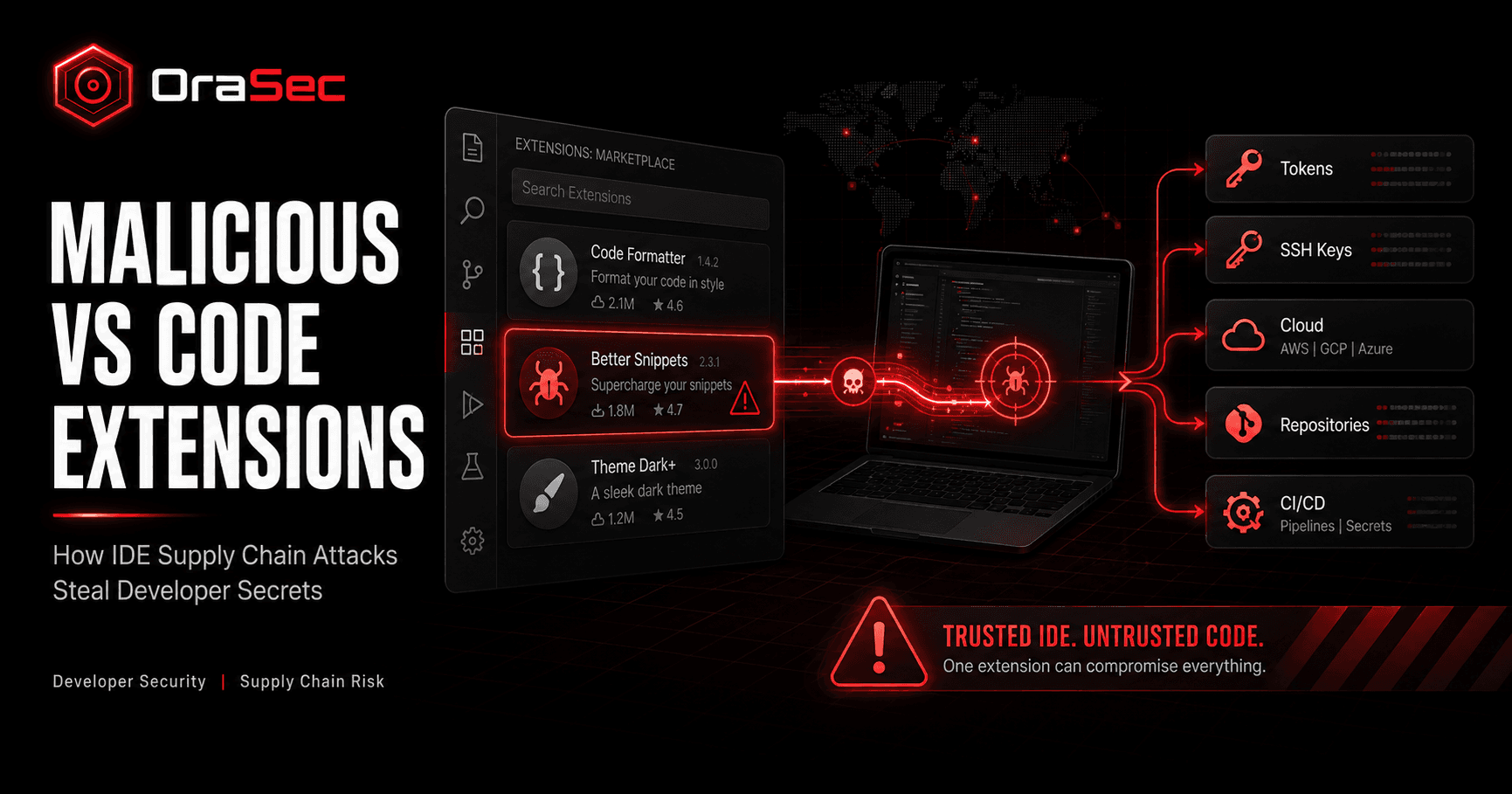
Developers trust VS Code with source code, Git repositories, and private credentials. That trust can become a risk when an extension is malicious.
A bad extension may look like a normal coding tool. Once installed, it can read files or contact remote servers. It may also start other programs or search the system for secrets.
What Are Malicious VS Code Extensions?
Malicious VS Code extensions are add-ons that contain harmful code. Some copy the name or style of real tools. Others offer a useful feature while hiding harmful actions in the background.
VS Code extensions run with the same permissions as the VS Code process. They can read and write files. They can also make network requests, start external programs, and change workspace settings.
How Do Malicious VS Code Extensions Work?
A simple attack path looks like this:
Fake or Compromised Extension
↓
Developer Installs It
↓
Malicious Code Runs
↓
Files or Credentials Are Read
↓
Data Is Stolen or More Malware Runs
The attack may not start at once. Some malicious extensions wait for hours or days. Others hide code so quick scans are less likely to spot it.
Why IDE Extensions Are a Supply Chain Risk
Developers use extensions for debugging, language support, AI tools, cloud services, and daily tasks.
Also Read: Application Security vs DevSecOps: Differences, Pros, Cons
Their workstations may already connect to GitHub, GitLab, cloud accounts, package registries, and internal systems. They may also store SSH keys, API tokens, or other secrets.
If one extension is malicious, the attacker may gain more than local access. Stolen credentials can open a path to source code, build systems, or cloud resources.
Real-World Example: Solidity Pro
In August 2026, Yeeth Security reported two malicious VS Code-compatible extensions on Open VSX. They were helper-beeps.solidity-pro and web3devtoolsx.solidity-pro.
Early versions contacted Cloudflare Worker endpoints. They downloaded an encrypted Python payload and ran it through a child process.
Later versions became information stealers. The malware searched for GitHub and GitLab tokens. It also targeted AWS and Cloudflare credentials, API keys, SSH private keys, browser data, and crypto wallet data.
The stolen data was sent through Telegram bot uploads. Researchers also saw delayed activation, heavy code hiding, and clean decoy releases.
This was not a flaw in VS Code itself. The risk came from malicious third-party extensions running inside a trusted developer tool.
Common Malicious Extension Techniques
Impersonation
Attackers use names or descriptions that look like real developer tools.
Credential Theft
The extension searches for tokens, keys, browser data, or other secrets.
Payload Delivery
The extension downloads and runs more malware after installation.
Delayed Execution
The malicious code waits before it runs. This can help it avoid quick checks.
Code Obfuscation
Attackers hide or rebuild code to make simple scans less useful.
How to Prevent Malicious VS Code Extensions
Check the Publisher
Review the publisher, project page, update history, and source repository before you install an extension.
Use Approved Extensions
Teams should keep a list of approved extensions. VS Code also supports company policies that can restrict which extensions users may install.
Limit Developer Access
Give developers only the access they need. Limit access to repositories, cloud environments, package registries, and production systems.
Protect Secrets
Avoid keeping long-lived keys and tokens in local files when safer secret storage is available.
Watch for Unusual Behavior
Check for unexpected network traffic after an extension is installed or updated. New child processes or strange file access should also be reviewed.
Helpful for you: Best Static Code Analysis Tools for Software Security
Remove Unused Extensions
Remove extensions that are no longer needed. Fewer extensions mean less third-party code running in the developer environment.
What Should IDE Security Testing Cover?
A developer environment review should check:
- Installed extensions and publishers
- Extension behavior
- Exposed credentials
- Repository and SSH access
- Cloud and package registry tokens
- Unexpected process execution
- Outbound network traffic
- IDE and CI/CD trust boundaries
The goal is to learn whether a malicious or hacked developer tool can reach more sensitive systems.
How Orasec Can Help
Orasec reviews developer, application, and CI/CD pipeline security to identify exposed secrets, risky tooling, excessive permissions, and software supply chain weaknesses.
The goal is to show how far an attacker could move if a developer tool is compromised.
Conclusion
VS Code extensions save time, but every extension adds code that developers must trust.
Teams should verify publishers, limit extensions, protect secrets, reduce access, and watch for unusual behavior. These steps make it harder for a malicious extension to turn one workstation into a wider security incident.
FAQs
Can a VS Code extension run code on my computer?
Yes. Extensions can use the same permissions as the VS Code process. They can read files, use the network, and start other programs.
Can malicious extensions steal API keys?
Yes. If a key is stored somewhere the extension can read, malicious code may be able to collect it.
Are all extension marketplace add-ons safe?
No. Third-party extensions should still be reviewed before use. Microsoft also warns users to confirm that they trust third-party extension publishers.
How can companies control VS Code extensions?
Use approved extension lists, managed developer environments, and regular reviews. VS Code supports enterprise policies for controlling allowed extensions.
What should I do after finding a malicious extension?
Remove it. Check what it accessed. Rotate exposed secrets. Review repository and cloud activity. Then scan the host for other malware.