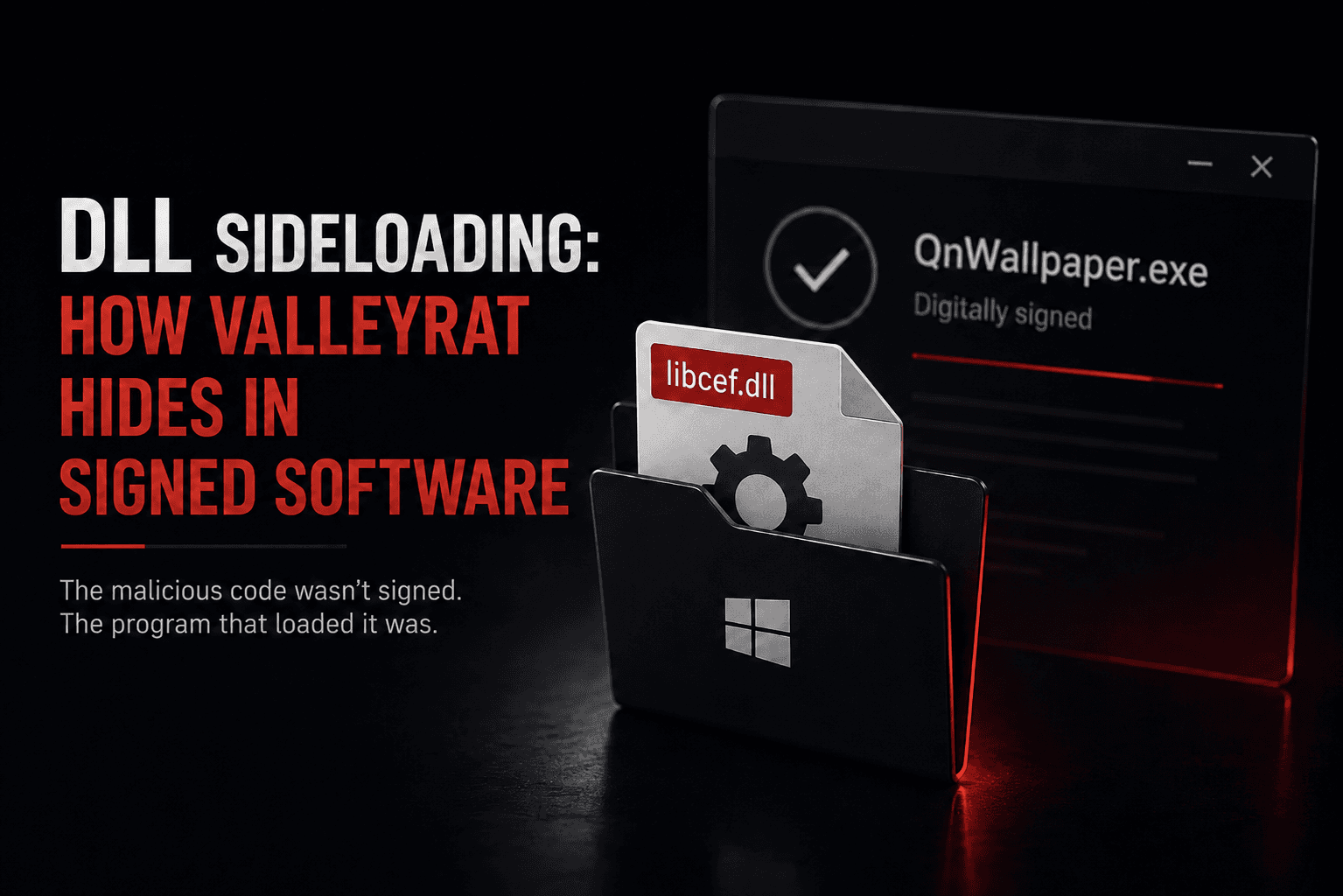
The malicious code was not signed. The program that loaded it was.
What Is DLL Sideloading?
When an application loads a DLL by name rather than a fully qualified path, Windows searches a defined set of locations. If an attacker can place a malicious DLL in a directory searched before the legitimate copy, the application may load it. Microsoft documents this as DLL preloading/binary planting behavior. (Microsoft Learn)
The signed executable runs. The signature checks out. The malicious DLL executes inside the legitimate process and with that process's security context. The DLL does not inherit the executable's digital signature, but execution inside a trusted signed process can complicate detection.
What Happened With ValleyRAT?
Kaspersky documented a trojanised build of QN Wallpaper, a legitimate Chinese wallpaper tool distributed as adware.
The analyzed installer unpacked QN Wallpaper and the malicious components under C:\Program Files\QNWallpaper\5.4.0.1662\<random folder>\. Depending on its filename, it also installed DingTalk or Chrome, or opened a Tencent Meeting download page as a decoy. (Securelist) The signed QnWallpaper.exe then loads a malicious libcef.dll from the same directory.
Across all ValleyRAT and associated-malware activity observed during 2026, Kaspersky recorded more than 100,000 detections affecting over 1,500 unique users, mainly in China and India. Those numbers are not victim counts for this QN Wallpaper distribution chain alone. (Securelist)
Kaspersky said the geography and use of ValleyRAT point to Silver Fox as the likely operator behind the campaign. (Securelist)
Why Do Antivirus Exclusions Matter Here?
A folder exclusion can prevent Microsoft Defender Antivirus from scanning files under that path, depending on the exclusion type. However, excluded files can still generate EDR alerts and some behavioral detections in Microsoft Defender for Endpoint. (Microsoft Learn)
Kaspersky noted that users often add adware or potentially unwanted applications to security exclusions to stop repeated detections. That creates an opportunity for abuse, but the report does not establish that every victim in this campaign had already excluded the QN Wallpaper directory. (Securelist)
What Does the Backdoor Do?
The analyzed installer attempted to disable Microsoft Defender Antivirus by setting the legacy DisableAntiSpyware registry value. On modern Windows systems, that setting may be ignored or protected by tamper protection, especially on devices onboarded to Microsoft Defender for Endpoint. (Securelist)
ValleyRAT can optionally mark its process as critical and can inject restart code into svchost.exe; both behaviors are controlled by configuration values and are not necessarily enabled in every infection. (Securelist)
ValleyRAT records keystrokes and clipboard contents and can, on command, take screenshots, wipe logs, update C2 addresses, and download additional modules. (Securelist)
Why Does It Matter?
Publisher allowlisting is broader than it looks. Broad publisher rules can trust more software than intended, but whether a malicious DLL is allowed depends on how application control is configured. Windows App Control and AppLocker can enforce separate DLL rules, including publisher, path, file-name, version, or hash conditions. (Microsoft Learn)
Exclusion lists are rarely reviewed. Most organisations can produce their allowlist. Few can say what they have excluded, or who added each entry.
Common Mistakes
- Treating a valid signature as proof of safety. It proves the publisher signed that file, nothing more.
- Letting users create their own exclusions. A decision made to silence a pop-up outlives its reason.
- Ignoring consumer software on corporate hosts. Wallpaper tools and utilities are the category people whitelist.
How to Reduce the Risk
- Restrict who can create antivirus exclusions, and review the list
- Alert on changes to
DisableAntiSpywareand tamper protection settings - Use appropriately scoped application-control rules. FilePublisher, hash, path, or explicit DLL rules can narrow trust compared with broad publisher-only policies. (Microsoft Learn)
- Block execution from user-writable directories where practical
- Monitor for unusual DLL loads by signed processes, especially DLLs loaded from unexpected or writable locations, and correlate signer, path, parent process, and behavior rather than relying only on whether the DLL is unsigned
- Alert on new autorun entries and on injection into
svchost
What Should Security Testing Cover?
Ask your testers to establish:
- Whether a sideloaded DLL beside a signed application raises any alert
- Who can add antivirus exclusions, and whether anyone reviews them
- Whether tampering with endpoint protection settings is detected
How OraSec Can Help
OraSec tests whether controls hold when an attacker uses trusted components. Red team engagements measure what your endpoint tooling records when execution happens inside a signed process.
Conclusion
The useful question is not whether your endpoint tool would catch this sample. It is what your exclusion list currently contains, and who decided each entry belonged there.
FAQs
Why are antivirus exclusions dangerous? They reduce antivirus inspection for the excluded files or paths and can create blind spots. On modern Defender deployments, EDR and behavioral signals may still remain, so an exclusion is not necessarily complete invisibility. (Microsoft Learn)
Does EDR detect sideloading? It can detect suspicious module loads, process injection, persistence, or related behavior. Antivirus exclusions do not automatically remove all EDR visibility. (Microsoft Learn)
How do we find risky exclusions? Export the exclusion list from your endpoint platform, identify who added each entry, and remove anything without an owner.