Application control is becoming a critical part of modern cybersecurity strategies as organizations deal with increasing threats from unauthorized software, malware, and unapproved applications running in their environments across endpoints and cloud systems. Attackers often use malicious or unknown applications to gain access to systems, steal sensitive data, or move laterally within internal networks without detection. Without proper control, businesses lose visibility over what is running on their systems, which significantly increases security risks, operational instability, and potential compliance failures. In this guide, you will learn what application control is, how it works in real environments, its key benefits, practical use cases, implementation challenges, and industry best practices. This will help you understand how to properly deploy application control in modern cybersecurity frameworks for stronger and more resilient protection.
What Is Application Control in Cybersecurity
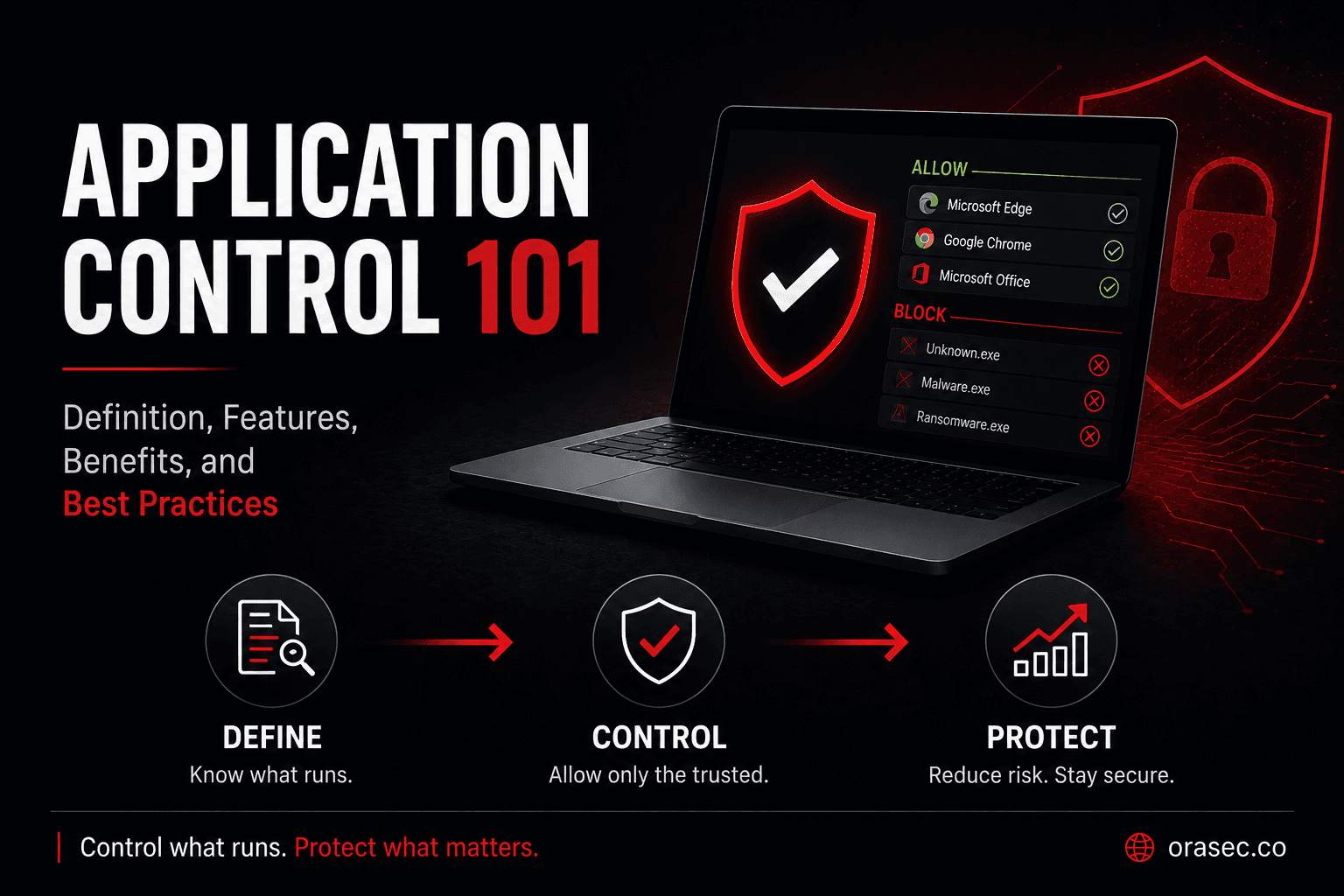
Application control in cybersecurity is a security mechanism that allows organizations to strictly manage, monitor, and restrict which applications can run on endpoints, servers, and network systems across the entire IT infrastructure. It ensures that only approved, verified, and trusted applications are permitted while blocking unauthorized, unknown, or potentially malicious software from executing automatically. This significantly reduces risks of malware infections, ransomware attacks, data breaches, and system compromise caused by untrusted or hidden applications operating in the background.
How Application Control Works
Application control works by using predefined security policies, allowlists, and blocklists that determine which applications are permitted or denied execution within an organization’s environment in real time. When a user attempts to run an application, the system immediately checks it against these rules using attributes such as digital signatures, file hashes, reputation scores, and behavioral analysis indicators. Based on this verification process, the system either allows execution of trusted applications or blocks suspicious and unauthorized programs before they can cause any harm.
Also Read: Penetration Testing vs Vulnerability Assessment
Benefits of Application Control in Cybersecurity
1. Reduces Malware and Ransomware Attacks
Application control significantly reduces malware and ransomware risks by preventing unauthorized or unknown applications from executing within the system environment in the first place. This proactive blocking approach ensures that malicious software cannot establish persistence or encrypt critical data, thereby protecting business operations from severe financial and operational damage caused by modern cyber threats.
2. Improves Endpoint Security
It enhances endpoint security by enforcing strict control over which applications can run on user devices, servers, and workstations across the organization. This reduces the attack surface on endpoints and ensures that only trusted and approved software is active, minimizing opportunities for attackers to exploit vulnerable applications or unauthorized tools.
3. Prevents Unauthorized Software Installation
Application control prevents users from installing or executing unauthorized software that has not been approved by IT or security teams within the organization. This helps maintain system integrity, reduces the risk of shadow IT, and ensures that all applications in use comply with internal security policies and organizational standards.
Helpful for you: Server-Side Request Forgery (SSRF) Explained
4. Enhances Visibility and Control
It provides complete visibility into all applications running across the environment, allowing security teams to monitor usage patterns, detect anomalies, and enforce compliance policies effectively. This improved visibility helps organizations maintain tighter control over their IT ecosystem and quickly identify any unauthorized or risky application behavior.
5. Reduces Attack Surface
By limiting the number of applications that can execute, application control significantly reduces the overall attack surface available to cybercriminals targeting the system. Fewer executable applications mean fewer vulnerabilities to exploit, which directly strengthens the organization’s defense against evolving cyber threats and intrusion attempts.
6. Improves Compliance and Auditing
Application control helps organizations meet regulatory and compliance requirements by ensuring that only approved and properly documented software is used across systems. This makes audits easier, improves governance, and ensures adherence to standards such as ISO, GDPR, and other industry-specific security frameworks.
Must Read: What is Host-based Intrusion Detection System?
7. Minimizes Insider Threat Risks
It reduces risks associated with insider threats by restricting employees from running unauthorized, harmful, or risky applications intentionally or unintentionally within the environment. This ensures better control over user behavior and prevents accidental or malicious actions that could compromise sensitive business data or systems.
8. Increases System Stability and Performance
Application control improves system stability by blocking unnecessary or resource-heavy applications that could cause performance issues, crashes, or conflicts within the operating environment. This results in more optimized system performance, fewer disruptions, and a more reliable IT infrastructure for business operations.
Application Control Real-World Use Cases
Application Control in Enterprise Environments
- Enforces strict allowlisting of business-critical applications across all enterprise endpoints and server infrastructure systems
- Prevents employees from installing or executing unauthorized software that could introduce security vulnerabilities or compliance risks
- Integrates with SIEM platforms for centralized monitoring, alerting, and real-time visibility of application execution events
- Supports regulatory compliance requirements such as ISO, GDPR, SOC 2, and other industry-specific cybersecurity standards
- Helps IT and security teams manage large-scale environments with consistent application policies across distributed systems
Application Control for Remote and Hybrid Work
- Ensures secure application usage on employee laptops and endpoints even when operating outside the corporate network perimeter
- Blocks unauthorized or unapproved applications on personal or remote devices used for business-related tasks and access
- Provides centralized control and visibility over distributed workforce environments across multiple geographic locations
- Reduces risks associated with unsecured home networks, public Wi-Fi usage, and remote access vulnerabilities
- Maintains consistent application policies across all devices regardless of location or network environment
Application Control in Critical Infrastructure
- Protects industrial and operational technology systems from unauthorized or malicious software execution that could disrupt operations
- Ensures only certified and verified applications run on OT systems used in energy, transportation, and utility sectors
- Reduces cyber attack risks targeting critical infrastructure that supports essential public services and national security
- Helps maintain system reliability, uptime, and operational safety in high-risk and mission-critical environments
- Supports national cybersecurity frameworks by securing essential infrastructure against advanced persistent threats
Challenges and Limitations in Application Control
- Application control may accidentally block legitimate business applications if policies are not properly configured or tested before deployment.
- It requires continuous maintenance and updates to allowlists and blocklists as new software versions and tools are introduced in the environment.
- Managing application control at scale can increase operational overhead for IT and security teams in large or fast-growing organizations.
- Initial implementation can be complex and time-consuming, especially in environments with diverse systems and legacy applications.
- Frequent false positives may occur if policies are too strict or not fine-tuned based on real usage behavior.
- Integration challenges may arise when combining application control with existing security tools and endpoint management systems.
You May Also Like: How Can HTTP Status Codes Tip Off a Hacker?
Best Practices of Application Control
1. Start with Allowlisting Instead of Blocking Everything
Begin implementation with a strict allowlist approach that only permits trusted applications, gradually refining policies over time to reduce false positives and business disruption.
2. Regularly Update Application Policies
Continuously update application allowlists and blocklists to ensure new legitimate software is not blocked while maintaining strong protection against evolving threats.
3. Integrate with Threat Intelligence
Use threat intelligence feeds to automatically identify and block known malicious applications, improving detection accuracy and proactive defense capabilities.
4. Monitor and Log Application Activity
Maintain detailed logs of all application execution attempts to detect suspicious behavior, investigate incidents, and improve overall security visibility.
5. Test Policies Before Full Deployment
Always test application control rules in controlled environments before organization-wide deployment to avoid operational disruption and compatibility issues.
6. Combine with Endpoint Security Tools
Use application control alongside endpoint detection and response (EDR) and antivirus solutions for layered and comprehensive security protection.
How Orasec Can Help You?
Orasec provides advanced vulnerability assessment and penetration testing services designed to help organizations identify security gaps in application control implementations, endpoint security configurations, and overall system architecture. Their experts simulate real-world attack scenarios to test how effectively application control policies prevent unauthorized software execution and detect potential bypass techniques used by attackers.
Conclusion
Application control is a powerful cybersecurity mechanism that helps organizations significantly reduce risk by strictly managing which applications can execute across systems, endpoints, and enterprise environments. It strengthens security, improves compliance, reduces attack surface, and enhances visibility over application usage in complex IT infrastructures.
As cyber threats continue to evolve in sophistication and scale, implementing strong application control policies has become essential for maintaining secure and stable digital operations. When combined with other layered security controls, it becomes a critical defense mechanism in modern cybersecurity strategies for both enterprises and critical systems.
FAQs
What is application control in cybersecurity?
Application control is a security approach that restricts which applications can run on systems by allowing only trusted software and blocking unauthorized or malicious programs to enhance overall security.
Why is application control important for organizations?
It is important because it reduces malware risks, prevents unauthorized software execution, improves visibility, and strengthens overall system security across enterprise environments.
How does application control differ from antivirus?
Antivirus detects and removes malicious software after it enters the system, while application control prevents unauthorized applications from running in the first place, reducing attack surface proactively.
Can application control affect business operations?
Yes, if not properly configured, it may block legitimate applications, which is why proper testing, monitoring, and policy updates are essential for smooth operations.
Is application control useful for remote employees?
Yes, it is highly effective for remote and hybrid work environments as it ensures secure application usage even outside traditional corporate network boundaries.