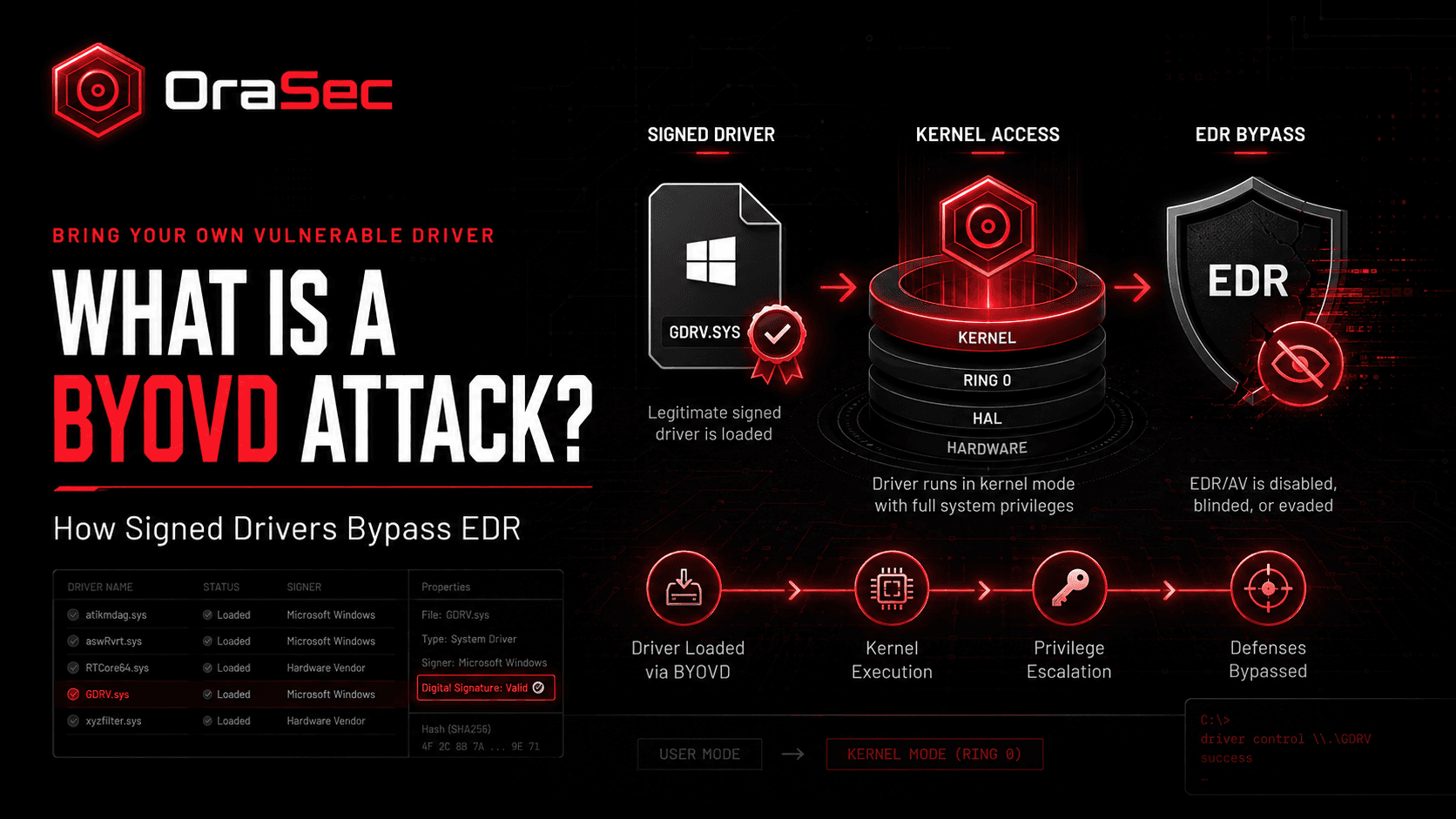
Modern 64-bit Windows normally requires signed kernel drivers. That helps, but it is not a safety guarantee. A valid signature proves publisher identity and file integrity. It does not prove the driver cannot be abused.
Attackers use that gap in BYOVD attacks. If a trusted signed driver has a useful weakness, they can load it instead of defeating driver signing.
What Is a BYOVD Attack?
BYOVD means Bring Your Own Vulnerable Driver.
In a typical attack, someone who already has admin access loads a legitimate signed driver with a known flaw. They then abuse its interface to perform privileged kernel operations.
Kernel access can let an attacker tamper with security controls from a highly privileged layer. Depending on the driver, that may include stopping protected processes or disabling endpoint defenses.
How Does a BYOVD Attack Work?
A common attack path looks like this:
- Gain local administrator access.
- Drop a signed but vulnerable driver.
- Register and load the driver.
- Abuse its vulnerable or overly powerful interface.
- Disable or blind EDR or antivirus controls.
- Continue credential theft, lateral movement, or other activity.
Disabling endpoint security is a common goal. The attacker is abusing trust placed in a signed driver.
Why Does BYOVD Matter?
Most endpoint detection assumes the security agent is still running.
BYOVD attacks target that assumption. If an attacker can move from local admin to kernel-level control, a workstation compromise can become harder to detect.
That is why local administrator access should not be treated as a minor issue.
Real-World Example: BTR Reforged
In August 2026, Jiří Vinopal at Check Point Research published BTR Reforged, research involving Microsoft Defender's Boot-Time Removal driver, BTR.sys.
This case is important because it is not classic BYOVD.
BTR.sys is a legitimate Microsoft Defender component stored inside MpEngine.dll. Defender uses it during boot-time cleanup when malware files cannot be removed while Windows is running.
The researcher extracted the driver and registered it through direct registry changes. It could then load early during boot, before higher-level Defender services were active. Queued file operations could target security binaries before those services started.
The research was a proof of concept. Check Point reported no evidence of real-world abuse. The technique required existing administrator access and SeLoadDriverPrivilege.
After disclosure, Microsoft Security Response Center said the findings did not meet its criteria for immediate servicing because of those prerequisites. Check Point did not report a CVE.
So this was not a traditional Defender vulnerability or normal BYOVD case. It showed how trusted built-in driver functionality could be repurposed after an attacker already controlled the system.
Why Driver Blocklists Do Not Catch Everything
Microsoft maintains a vulnerable driver blocklist to stop known risky drivers.
It was introduced as an option in Windows 10 version 1809 and is enabled by default on Windows 11 22H2 and later. Microsoft also recommends Memory Integrity, or HVCI, where supported.
Classic BYOVD usually brings in a vulnerable signed driver. Living-off-the-land driver abuse can instead repurpose a trusted component already present. A blocklist can stop known vulnerable or malicious drivers, but not every form of trusted-driver abuse.
How to Reduce BYOVD Risk
- Limit local administrator access.
- Restrict SeLoadDriverPrivilege to accounts that need it.
- Enable Memory Integrity (HVCI) where supported.
- Keep Microsoft's vulnerable driver blocklist enabled.
- Use application control and driver allowlisting where practical.
- Alert on unexpected kernel driver loads and new driver services.
- Monitor direct registry changes used to create services.
- Treat an EDR agent that stops reporting as a security event.
What Should Security Testing Cover?
Security testing should check:
- How easily local admin can be obtained.
- Whether drivers can be loaded after admin access.
- Whether EDR detects tampering or unexpected driver activity.
- Whether kernel driver loads reach central logging.
- What an attacker can access after endpoint controls are disabled.
If one disabled agent opens a path across the network, the driver is only part of the problem.
How OraSec Can Help
OraSec's security testing assesses what happens after an attacker gains access, not just whether initial compromise is possible.
We assess privilege escalation, endpoint-control tampering, driver abuse, and the paths available after defenses are weakened.
Conclusion
A valid driver signature does not guarantee that a driver is safe from abuse.
Treat local admin as a serious security boundary. Restrict driver-loading rights, keep the vulnerable driver blocklist enabled, use Memory Integrity where possible, and monitor for security agents that suddenly go quiet.
FAQs
Is BYOVD only a Windows problem?
The term is most commonly used for Windows attacks involving signed kernel drivers. Similar abuse of privileged kernel modules can occur on other systems.
Does the driver blocklist stop BYOVD?
It helps block known vulnerable or malicious drivers. It cannot prevent every form of trusted-driver abuse.
Does an attacker need admin first?
In the classic Windows BYOVD pattern, attackers usually need administrative access or equivalent driver-loading capability first.
Can EDR detect BYOVD?
Sometimes. Driver-load events, service creation, and tamper alerts can expose the attack. Kernel-level control may still let an attacker interfere with the security agent.
Was BTR Reforged exploited in the wild?
Check Point reported no evidence of real-world abuse. The research was a proof of concept, and no CVE was reported.