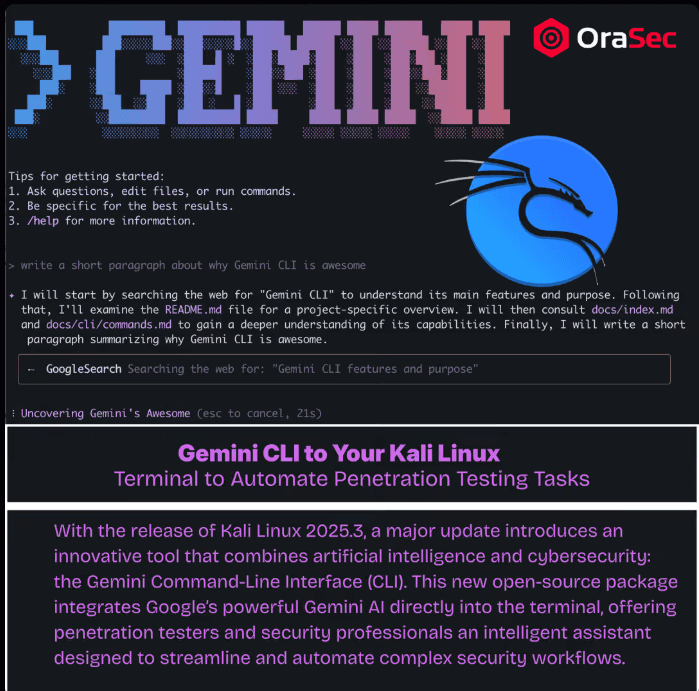
Kali now packages an AI agent that can execute shell commands and modify files with the permissions available to the user running it. By default, potentially mutating actions require approval. Gemini CLI exposes shell and filesystem tools, but it does not automatically have privileges beyond the account running it. (Gemini CLI)
What Is Gemini CLI?
Gemini CLI is Google's open-source AI agent for the terminal. Kali includes gemini-cli in its repositories, so it can be installed through APT. Kali's repository contained version 0.51.0 in July/August 2026, shown as gemini-cli_0.51.0-0kali1, dated July 23, 2026. Gemini CLI itself is built on Node.js.
You describe what you want in plain language. The agent plans the steps and uses its tools:
- Shell tool, which can execute commands available in the local environment, subject to the current user's permissions, Gemini CLI policies, approval mode, and any configured sandbox. (GitHub)
- File system tools, which read, write, and modify local files
- Web fetch and search, for pulling in external references
- Context and session features, which let Gemini CLI retain or reload relevant instructions and conversation state. GEMINI.md files can also provide persistent project context.
Typing /tools lists what is available.
How Does It Work in a Pentest?
Instead of chaining commands by hand, you state the outcome: scan the target, enumerate services, then check the login form for injection. The agent decides the sequence, runs it, and adjusts.
Two approval modes decide how much rope it gets. Default approval mode prompts before sensitive tool actions such as shell execution and file modification. Read-only operations may not require the same confirmation. (Gemini CLI)
YOLO mode automatically approves tool calls. Gemini CLI also enables sandboxing by default when YOLO mode is used, although sandbox behavior can be configured or overridden. (GitHub)
Why Does It Matter?
Reconnaissance and enumeration consume time without demanding much judgement. That is where automation pays.
None of that is the interesting part for a security team.
What Are the Risks?
Client data leaves your machine. Information included in model requests can leave the local machine, including prompts and file contents deliberately added to context. Tool results may also become model context. The exact data handling, retention, and use depend on whether Gemini CLI is authenticated through an unpaid Gemini service, a paid Gemini API project, or Vertex AI. (GitHub)
Files deliberately included in context can be sent to the model, so sensitive files should be excluded. Gemini CLI supports .geminiignore specifically to prevent selected files such as .env files or database dumps from being read into context. (GitHub)
Prompt injection through tool output. Indirect prompt injection is a relevant risk when an agent processes untrusted repository, web, or tool content. Malicious instructions embedded in that content may attempt to influence subsequent agent actions, making approval and isolation controls important. Gemini CLI's own project has tracked this risk for repository content. (GitHub)
Autonomous execution and scope. YOLO mode removes the normal approval step before tool execution, so commands may run without individual human review. An agent that scans an adjacent host has left your authorised scope, and it cannot verify authorisation because it has never seen your scope document.
Confident wrong answers. A suggested vulnerability is a hypothesis. Without proof, it does not belong in a report.
Dependency surface. It is a Node.js package with a dependency tree, on the machine that holds your tooling and client data.
Common Mistakes
- Running YOLO mode outside a lab. Convenience during research can become an unreviewed action against production.
- Letting it replace methodology. A faster path through the wrong process is still wrong.
How to Reduce the Risk
- Keep explicit approval enabled for client work and consider enforcing it administratively by disabling YOLO mode. Use tool allowlists and sandboxing where practical. Google's enterprise guidance specifically recommends disabling YOLO mode and prefers allowlisting tools over blocklisting. (GitHub)
- Confirm which Gemini backend and account type are being used, what information will be transmitted, and whether the engagement's confidentiality and data-processing terms permit it
- Validate every finding by hand before it reaches a report
- Enforce scope with network controls, not with instructions in a prompt
- Keep it off the host that stores client reports and credentials
What Should Security Testing Cover?
If your organisation runs AI agents with tool access, ask your testers to establish:
- Whether injected content in data the agent reads can change its behaviour
- What systems and credentials the agent's tools can reach
- Whether the agent's actions are logged and attributable
How OraSec Can Help
OraSec provides AI and LLM security testing for organisations deploying agents with tool access. We test what the agent can be made to do, not what the documentation says it does.
Conclusion
Gemini CLI is a genuine time-saver for the repetitive parts of an assessment.
It is also an agent with shell access, reading untrusted input, and sending your working data to someone else's API. The useful position is to use it deliberately, with approval prompts on and a clear answer to what leaves your machine.
FAQs
How do I install Gemini CLI on Kali? sudo apt install gemini-cli. It requires Node.js, which apt resolves as a dependency.
Does it replace a penetration tester? No. It can accelerate repetitive analysis, command execution, code review, and documentation, but scope decisions, risk judgement, exploitation safety, and validation remain the tester's responsibility.